Make a QR code that looks like yours.
Encode a link, Wi-Fi network, contact card or plain text, then style it with your colors and logo. SuperCapture’s scancode editor also makes Code 128, EAN-13, UPC-A and other barcodes, and keeps every code in your library.
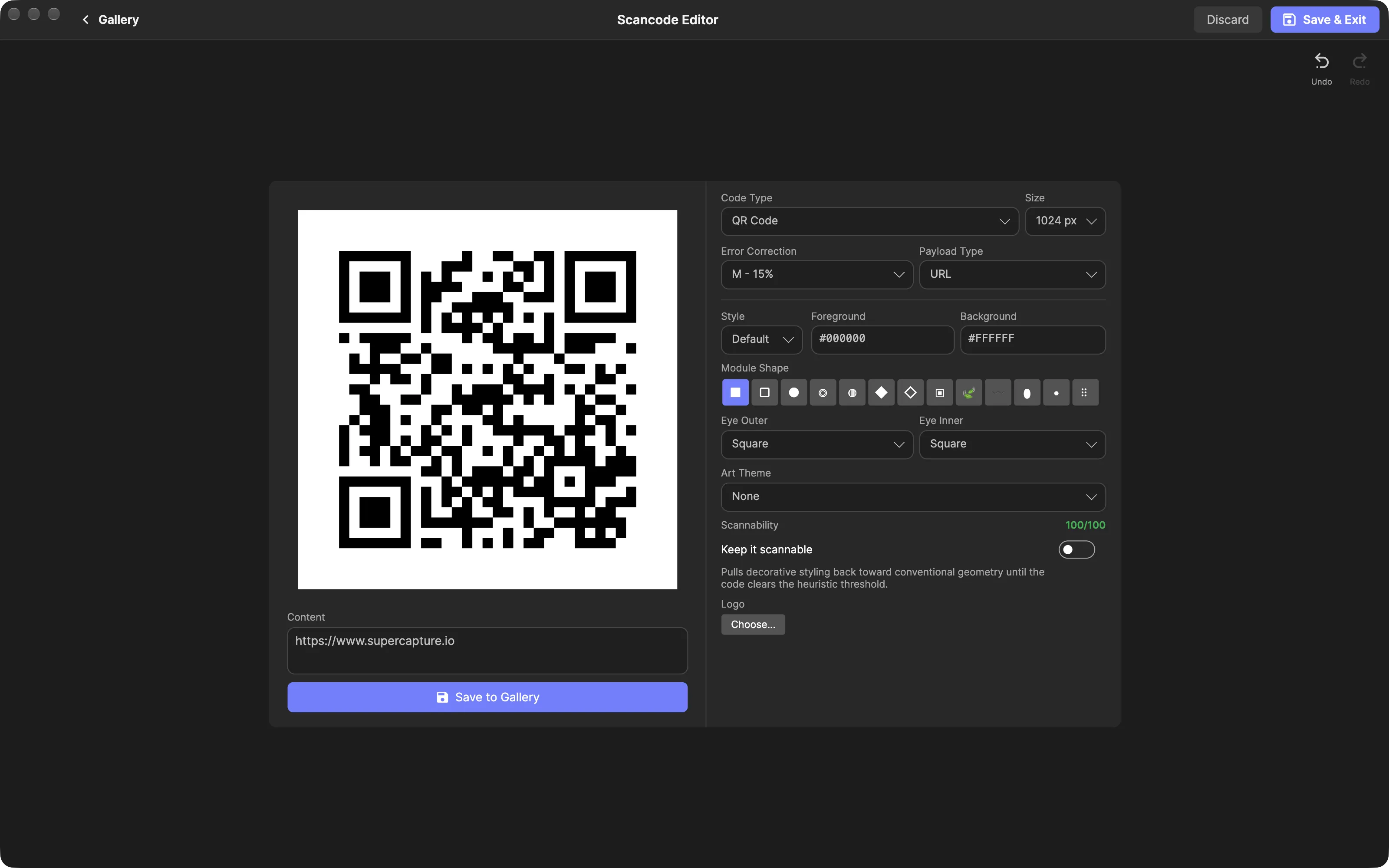
Create a QR code on your Mac
- Open the QR Code Creator. Click QR Code in the app’s left sidebar, or choose Create Scancode from the capture button’s menu. A blank code opens over your gallery.
- Choose what to encode. Leave Code Type on QR Code and pick a Payload Type: Text, URL, Email, Phone, SMS, WiFi, vCard or OTP. Structured types replace the content box with their own fields, such as network name, password and security type for Wi-Fi.
- Style it. Start from the Default, Rounded or Fancy preset, set foreground and background colors as hex values, and choose a module shape and corner eye shapes.
- Pick a size and save. Choose 512, 1024, 2048 or 4096 px, then click Save to Gallery. The code is saved as a PNG with its full configuration embedded, so reopening it restores every setting.
Add a logo without breaking the code
Click Choose… under Logo to place a PNG, JPEG, WebP or HEIC image in the center, then adjust its scale. Adding a logo sets error correction to H, the highest level, so the modules it covers can still be recovered. Keep the logo modest: past roughly a quarter of the code’s width, it covers more than error correction can rebuild.
Thirteen module shapes range from plain squares to connected, leaf, wave and dot-grid styles. Art themes such as Neon Glow, Liquid Glass and Paint Splash add decorative effects, with an intensity slider and Conservative, Bold or Pastel variants. Choosing a theme also forces error correction to H.
A Scannability readout scores a QR code’s settings from 0 to 100, checking contrast, quiet zone, module size and decorative geometry. It shows green from 80 and amber from 60, and lists any warnings.
Barcodes and other code types
Switch Code Type to Code 128, EAN-13 (ISBN), UPC-A, Code 39, Data Matrix, PDF417 or Aztec. For 1D barcodes, turn on Show text under bars to print the encoded digits underneath, as retail barcodes do. The full styling set applies to QR codes; barcodes and the other matrix codes render plain.
Saved codes live in your library with your other captures. Type qr: or barcode: in the gallery search to list them.
Practical uses
- Guest Wi-Fi. Put a WiFi code on a sign so visitors can join without typing the password.
- Contact details. Add a vCard code to a slide, badge or printed handout.
- Links on print. Point a flyer, poster or packaging mock-up at a web page.
- Pre-filled messages. Email and SMS codes open a draft on the scanning phone. They don’t send anything.
When a code may not scan
The scannability score grades your settings. It does not scan the rendered code, so test anything important with a real phone before you print it. Low contrast, light modules on a dark background, detached or decorative shapes and long payloads all make codes harder to read. The app labels Leaf, Wave and Blob as decorative, and Dot grid as the hardest shape to scan.
Content is encoded directly in the image. If a link changes, make a new code and replace the old one. A Wi-Fi password is stored as plain text, so anyone who scans the code can read it. An OTP code carries your authenticator secret, so treat the image like a password.
The editor saves PNG files. If you need a vector file, SuperCapture’s local MCP server can export a saved code as SVG, PDF or EPS.
Requirements and privacy
SuperCapture requires macOS 15 (Sequoia) or later and Apple Silicon (M1 or later). Codes are generated by the app on your Mac and saved to your local library. They leave your Mac only if you share them or turn on cloud sync. Scancodes are included on every plan. The free plan’s light branding applies to video exports and images you’ve marked up.
Install SuperCapture for Mac to make your first code, compare plans, or see how screenshot search works across the rest of your library.