Answer the ticket once.
Walkthroughs, onboarding and the team’s procedures as captures you send, and send again, from a library the whole support team shares.
Free · macOS 15 (Sequoia)+ · Apple Silicon · no account needed
“How do I connect Slack?”
A screenshot of the Settings window with the three steps numbered and an arrow on the button they keep missing. Press ⌃⇧C in any app, then S for step markers and A for the arrow, and paste the finished picture into the ticket with ⌘C. When the question comes back, it’s in your library, read for its text: type connect slack and send the same picture again.
The old way
- Type the steps out
- Attach a screenshot anyway
- “Which button?”
- Type them out again
One marked-up picture
Made with MarkupScreenshot searchShare pages
“Where do I even start?”
A short screen recording of the first session, with every click highlighted and a zoom region that follows the cursor into the small controls. Say the explanation into the mic while you do it, trim the pauses in the video editor, and share it as a web page: the new hire opens it in a browser, with no account, and the next hire gets the same link. On Pro they can pin a comment at the moment they got lost.
The old way
- Book the call
- Share your screen
- Do it again for the next hire
Record it once
Made with Screen recordingShare pagesCommentsPro
“What’s the process for a refund?”
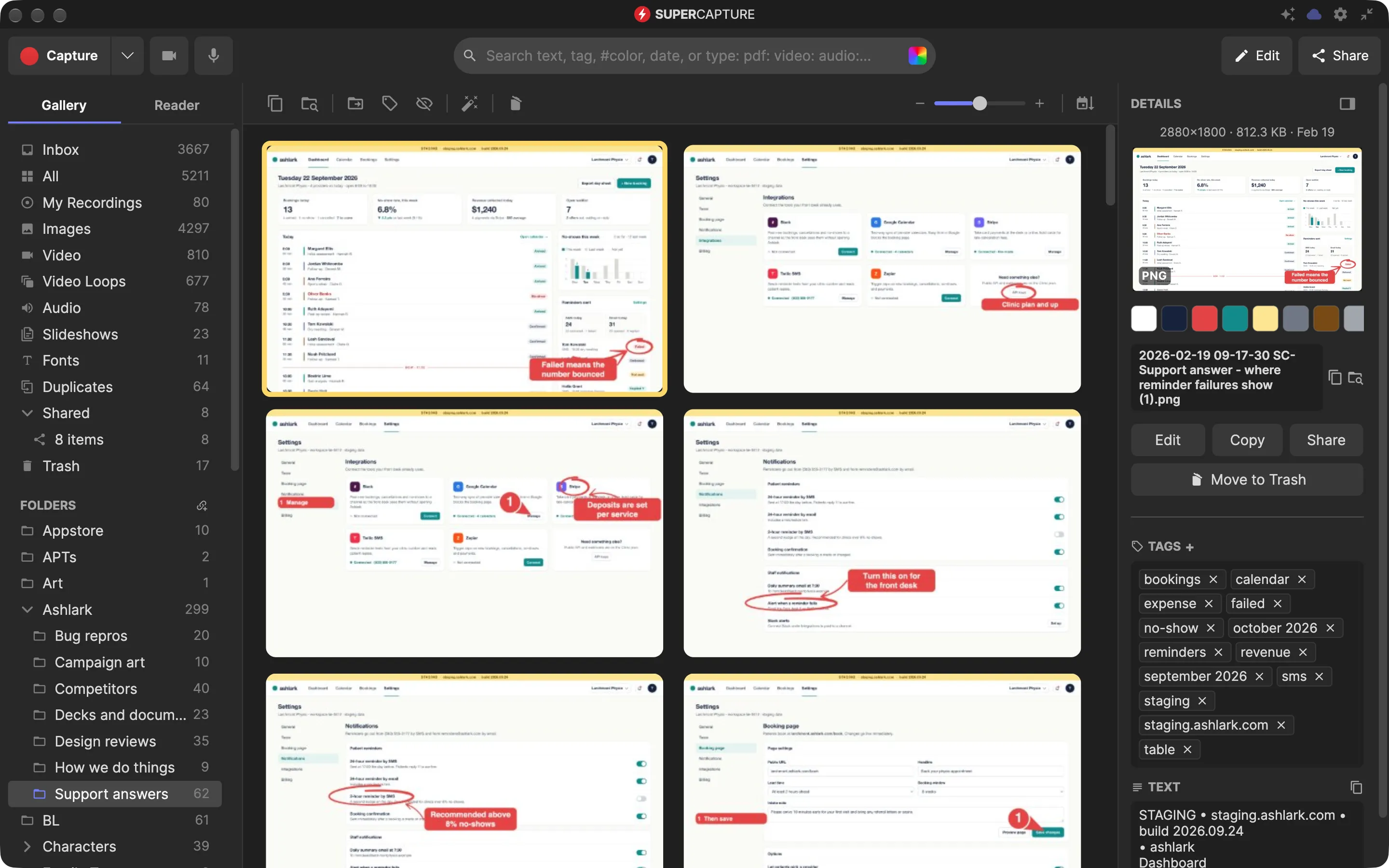
The admin page captured top to bottom from the browser, so the whole form is one image, then numbered steps on the fields that matter. Keep it in a folder called Procedures and share the folder with the team on Pro: it shows up in every teammate’s library, not in a doc nobody opens, and whoever searches refund finds it.
The old way
- A doc nobody updates
- Last year’s screenshots in it
- Ask whoever wrote it
A folder the team shares
Made with Scrolling captureMarkupShared foldersProScreenshot search
Switching from another tool? How SuperCapture compares vs CleanShot X, vs Snagit and vs Screen Studio.
Ready to never explain it twice?
One app instead of five: screenshots and markup, recording and editing, audio, web pages and a Reader, and a library that finds any of it again when the question comes back.
Free · macOS 15 (Sequoia) or later · Apple Silicon (M1 or later) · no account needed
Free includes every capture tool, the editor and local search, with light branding on exports. Individual removes the branding and syncs your whole library; Pro adds comments, shared folders and end-to-end encryption.