Show the product. Skip the paragraph.
Demo clips, framed screenshots, whole decks as PDFs and every competitor’s page, dated, in one library the team can search.
Free · macOS 15 (Sequoia)+ · Apple Silicon · no account needed
“Can you show me how that works?”
A recording of the feature with click highlights and a zoom on the part they asked about, trimmed to the moment, with your voice from the mic. Export MP4 for the follow-up, or share it as a web page the prospect opens in a browser with no account. The next prospect who asks gets the same link.
The old way
- Book a second demo
- Share your screen
- Hope the connection holds
A clip they replay
Made with Screen recordingShare pages
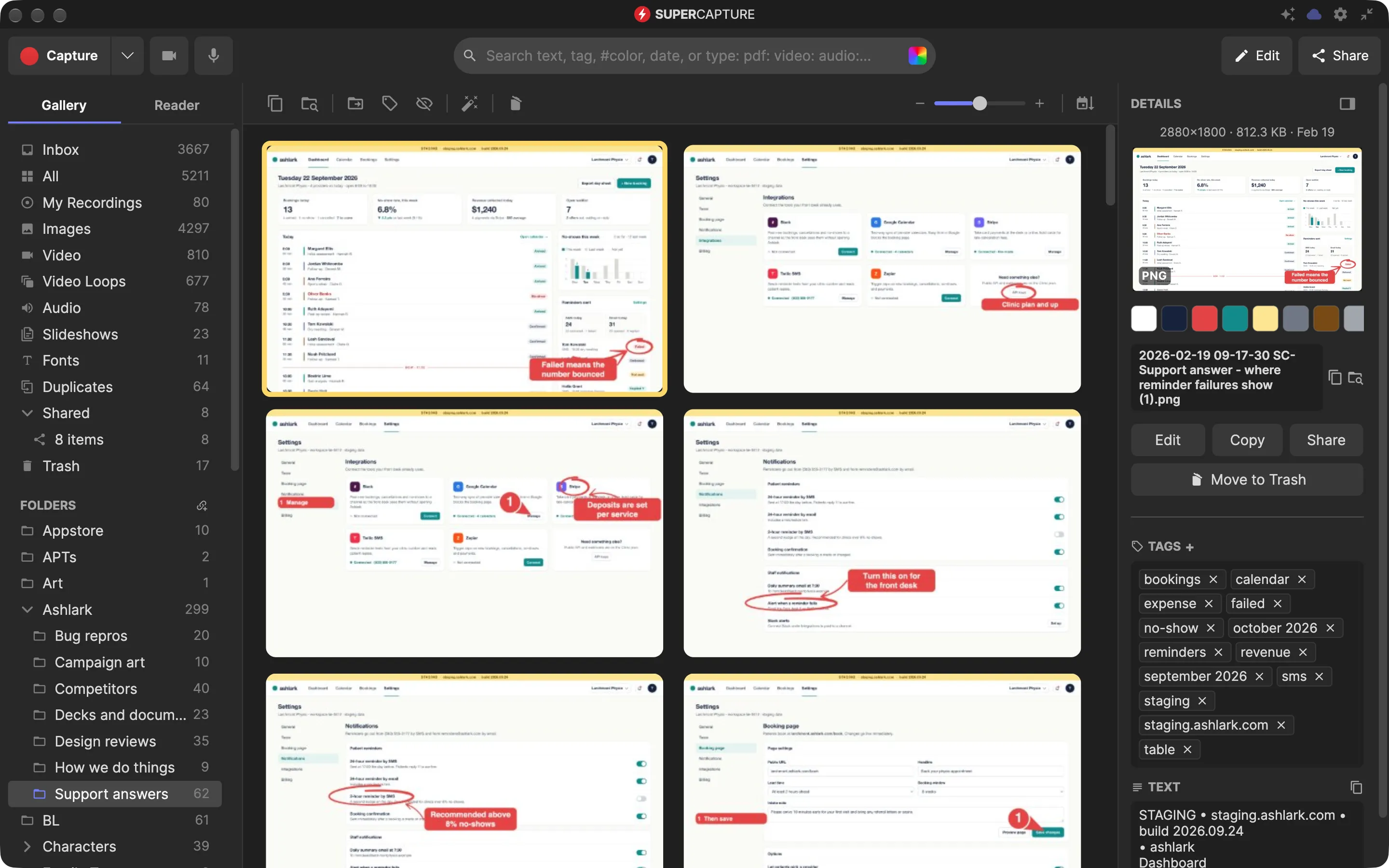
“Where’s the slide with the pricing table?”
Choose Capture Slides in the browser extension and it steps through a web-based deck one slide at a time, at full resolution, into a single multi-page capture you can export as a PDF. Your own deck, or one you were sent a view-only link to. Every slide is read for its text, so pricing finds the slide, not just the deck.
The old way
- Open the deck
- Find the slide
- Screenshot it
- Crop it
Every slide, already captured
Made with Slide captureScreenshot searchLibrary
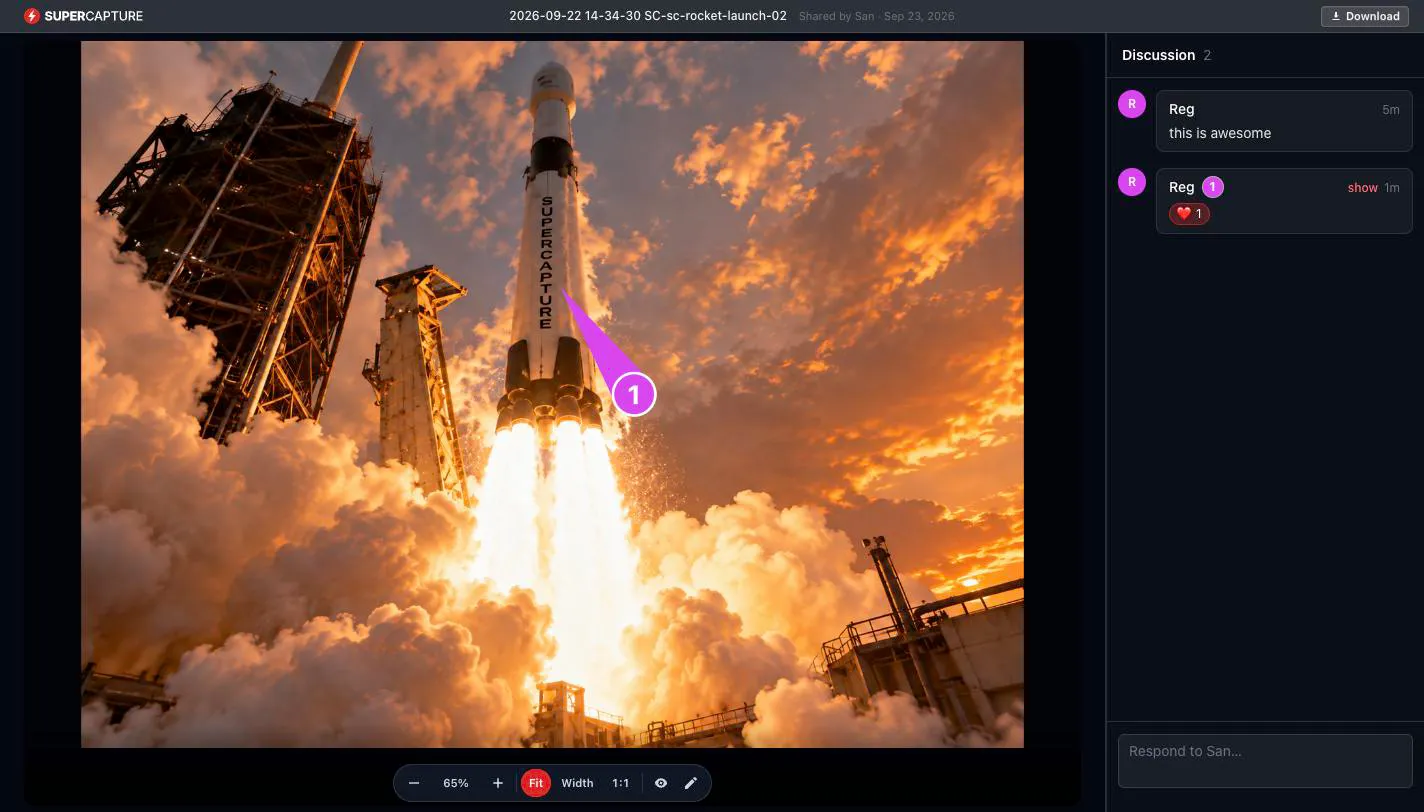
“Which version of the proposal is this?”
The proposal’s pages on one share page, up to 200 images or PDFs behind a single link, with a password and an expiry date on Individual and Pro. On Pro the client pins a comment on the page they mean and your reply shows up live. The product shots inside the proposal come out of the same app, framed on a gradient and exported as PNG or PDF.
The old way
- Export the PDF
- Email v3
- “Which page are you on?”
- Export v4
One link with pins
Made with Share pagesPasswords and expiryIndividual & ProCommentsProMarkup
“Do we have a GIF of that?”
A looping GIF of the feature, recorded, trimmed and exported from one app, and a screenshot framed on a gradient with rounded corners and a shadow for the launch post. The same frame on the next one. Exports go out as PNG, JPG, WebP, SVG, PDF, MP4, MOV, GIF or APNG, without branding on Individual and Pro.
The old way
- Export the frames
- A GIF maker
- Resize
- Export again
Record, trim, export
Made with Screen recordingMarkupExports
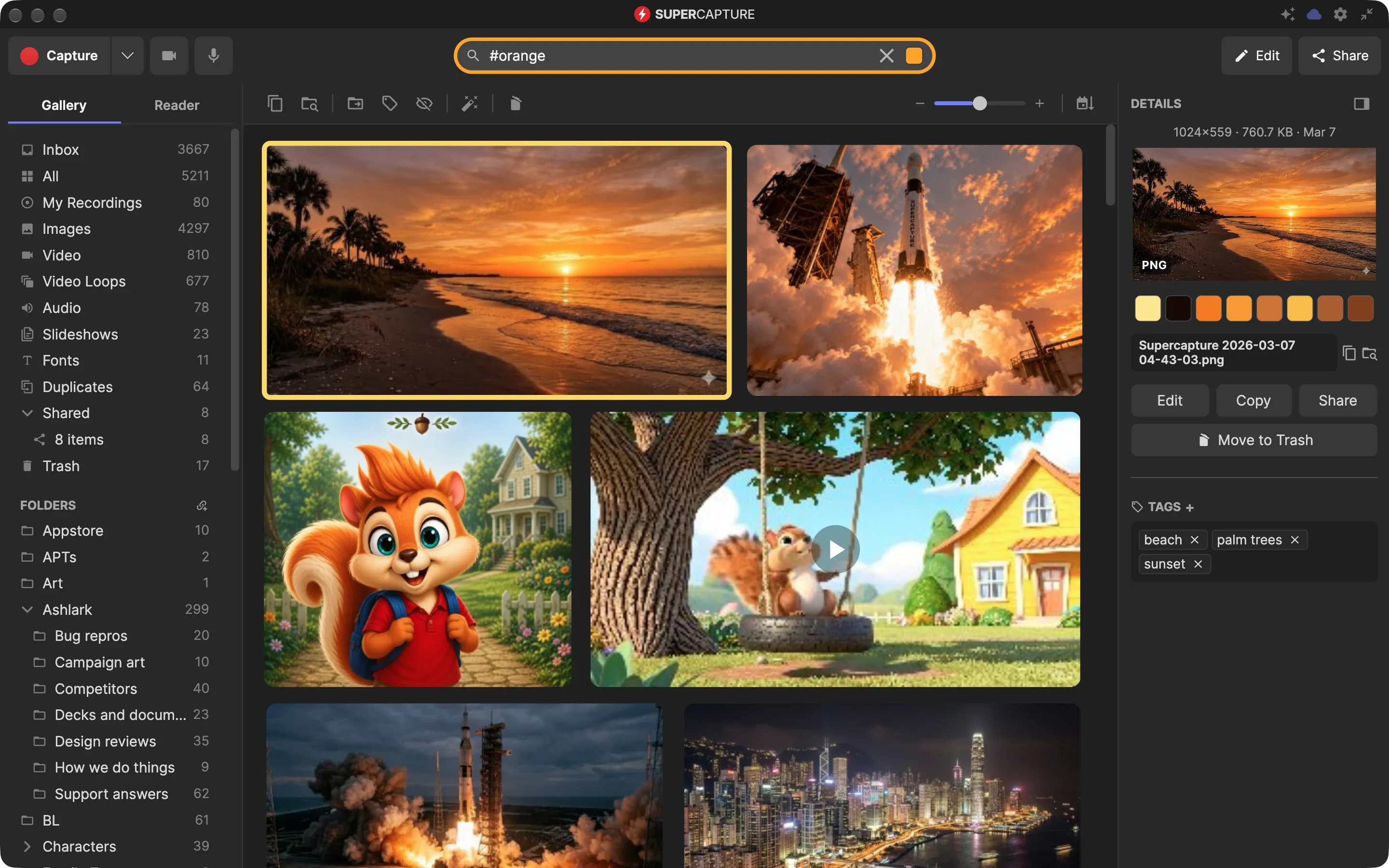
“What did the dashboard say at quarter end?”
The dashboard captured on the day, with the date on it, filed in a collection with the rest of the quarter’s numbers and the PDFs that came with them. Every figure on the screen is read on your Mac, so next quarter you find this one by typing a number you remember, or pdf: to list only the PDFs. Nothing leaves the Mac unless you sync it, and on Pro the files are end-to-end encrypted before they do.
The old way
- Screenshot the dashboard
- Paste it into the deck
- Lose the original
- Ask finance again
Filed, dated, searchable
“What did their pricing page say in March?”
Their launch page captured top to bottom with its link, the day you saw it, before it changes. Or bookmark it: a screenshot and the readable text come with it into the Reader, so you can close the tab. Type a phrase from the page and it comes back, with the date you captured it.
The old way
- Bookmark it
- The page changes
- Screenshot it in pieces
- Line them up by hand
The whole page, dated
Made with Scrolling captureReaderScreenshot search
Switching from another tool? How SuperCapture compares vs CleanShot X, vs Snagit and vs Screen Studio.
Ready to never explain it twice?
One app instead of five: screenshots and markup, recording and editing, audio, web pages and a Reader, and a library that finds any of it again when the question comes back.
Free · macOS 15 (Sequoia) or later · Apple Silicon (M1 or later) · no account needed
Free includes every capture tool, the editor and local search, with light branding on exports. Individual removes the branding and syncs your whole library; Pro adds comments, shared folders and end-to-end encryption.